
Every YouTube video
made useful.
Save a video. Get the transcript. Read the summary. Jump to key moments. Turn it into content.
30 free videos. No credit card.
Four things, one screen each
Click any one below to see how it works.
Works on your phone, best on a desktop.
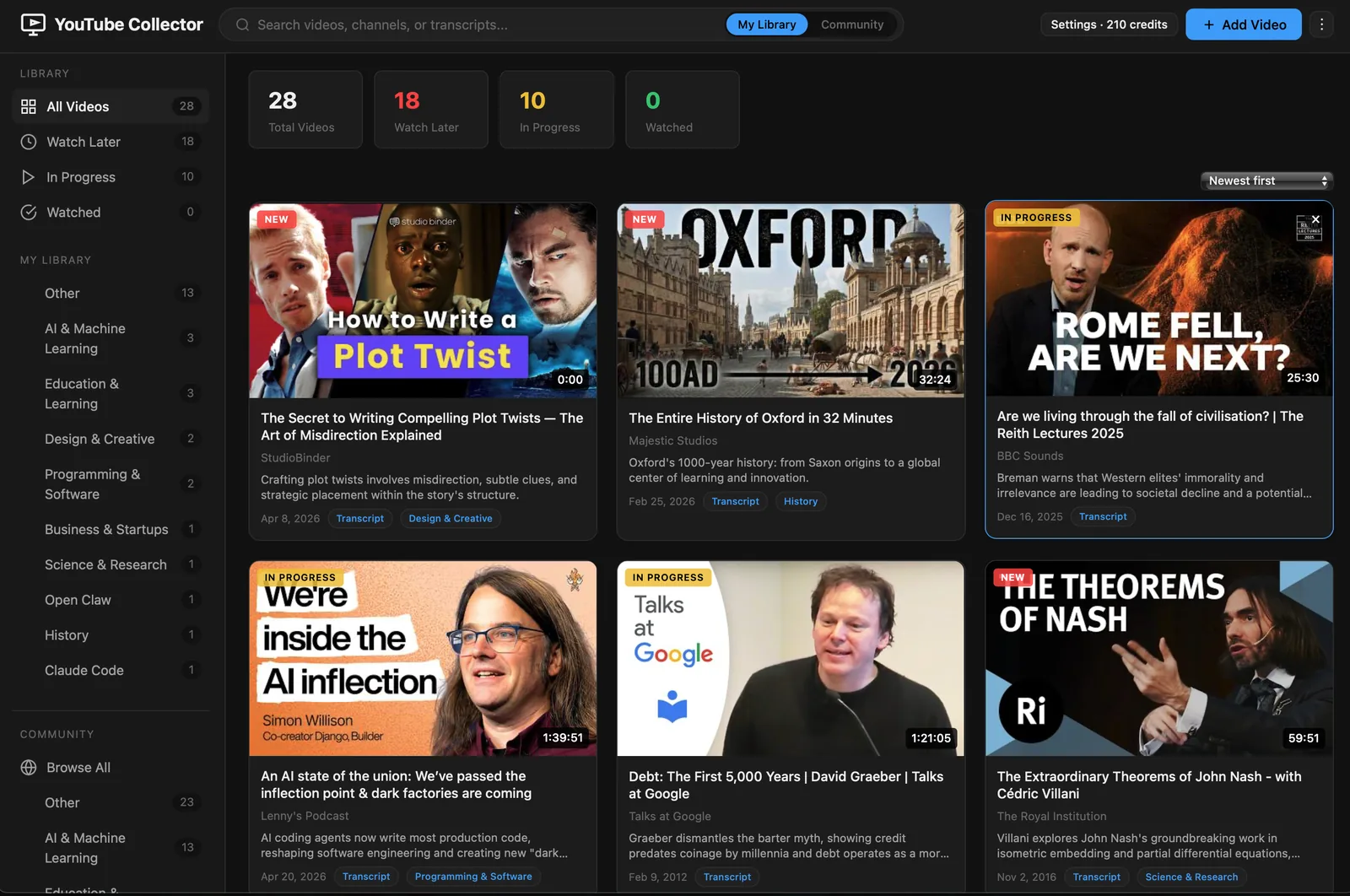
Save any YouTube video
Auto-organized by topic. Categories, tags, collections.
See it in action →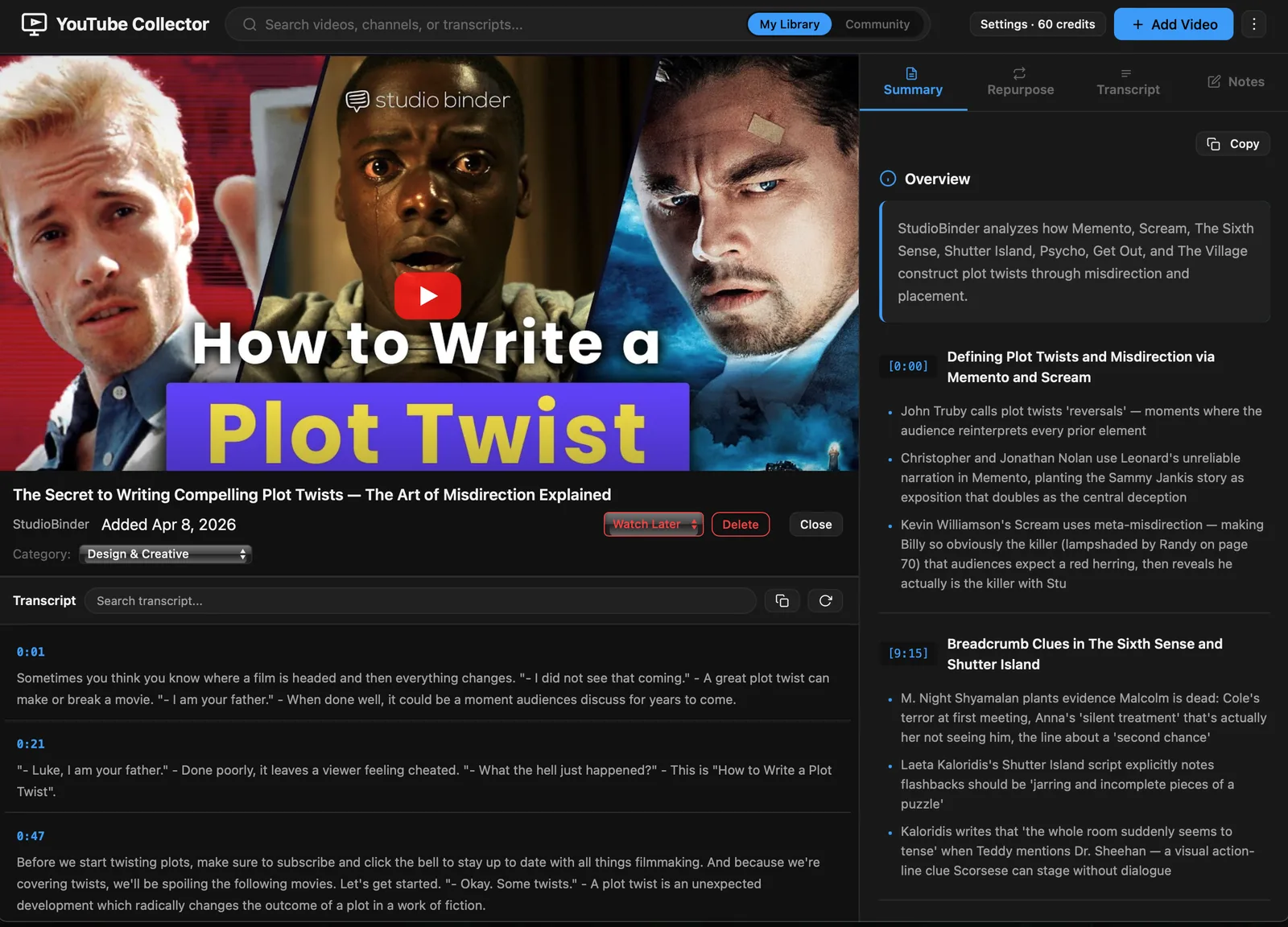
Read the summary first
Chapters, key insights, full transcript. Click to jump.
See it in action →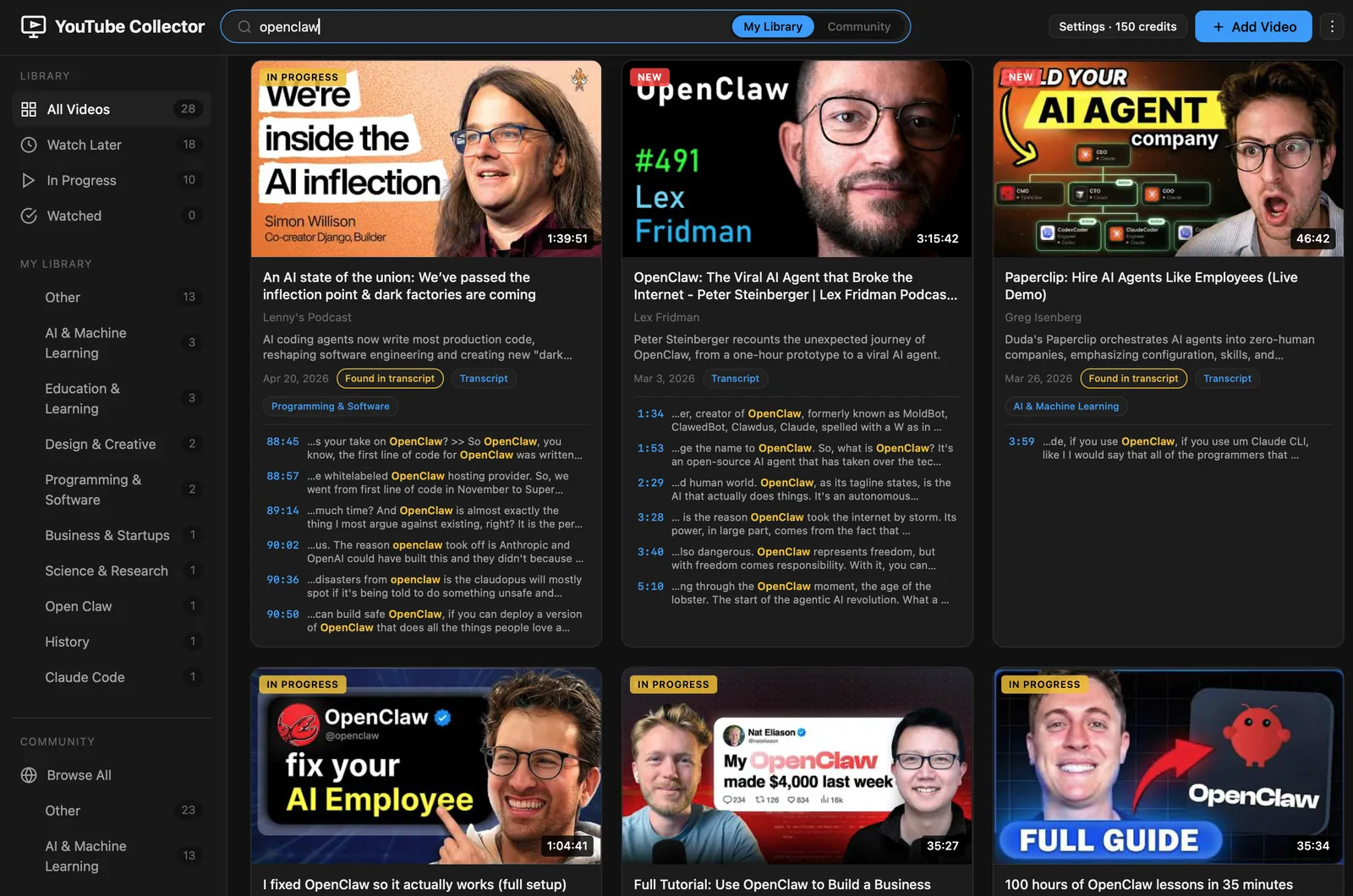
Find any moment later
Type a phrase. Get every match from every saved transcript.
See it in action →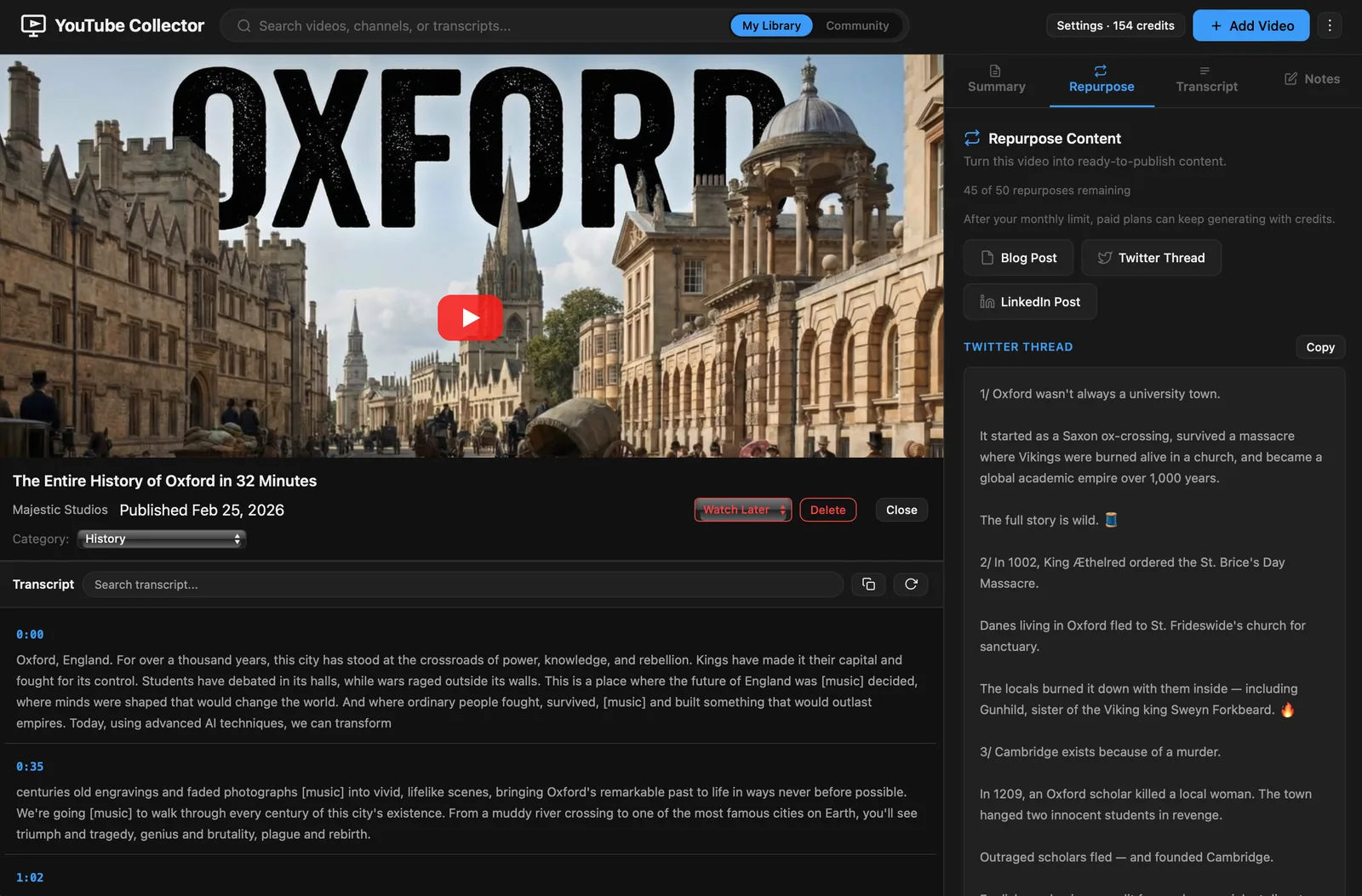
Turn it into content
Blog, tweet thread or LinkedIn draft in one click.
See it in action →Save any video. Find it again.
Paste a YouTube link. We pull the transcript, generate an AI summary, auto-tag it, and add it to your library.
Read what matters. Skip what doesn't.
Short overview, chapter-by-chapter breakdown with clickable timestamps, key insights and the full transcript, all on one screen.
Type a phrase. Jump to the moment.
Search across every saved transcript at once. Every match shows the source video and timestamp.
From video to first draft, in a click.
Blog post, tweet thread, or LinkedIn draft from any saved video. Generate, edit, post.
Simple pricing
Start free. Upgrade when you need more.
Pro
- 100 summaries / month
- 50 redrafts / month
- Batch process 5 videos
- More AI options included
Creator
- 300 summaries / month
- 200 redrafts / month
- Batch process 20 videos
- Advanced AI default model

Try it with one video.
Paste a YouTube link. If it is in the community library you see the summary and chapters now, no account needed. If not, you get the full transcript free, and a free account adds the AI summary.
No video in mind? Try the sample. It's a film about giant lizards.